Best Ways to Use Pollo AI video to video for Business Communication and Training
Internal communication and training videos need to be clear, fast to make, and easy to update. That’s a deceptively difficult combination to achieve with traditional video production tools — which tend to be slow, expensive, and hard to scale across a team.
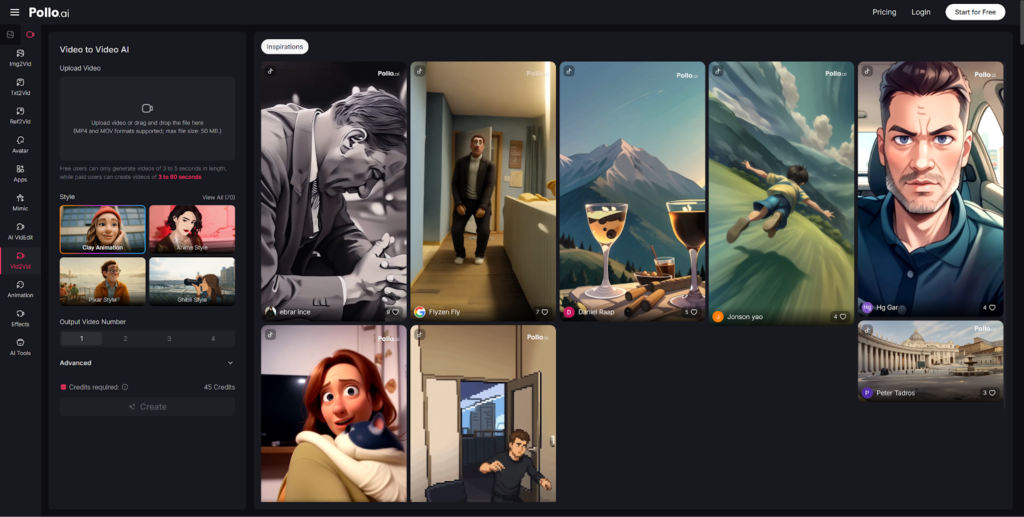
Pollo AI video to video changes that equation for business teams. Instead of treating video production as a specialized skill, it puts the ability to transform, restyle, and refresh existing content directly in the hands of the people who need it — without requiring them to become editors. Whether you’re updating onboarding materials, turning a webinar into a series of internal explainers, or adapting a product walkthrough for a different audience, Pollo AI provides a faster path from existing content to finished video.
This guide covers the most practical ways to apply that capability in a business context.
Why Business Teams Are Rethinking How They Make Videos
The demand for internal and external video content has outpaced the capacity of most in-house teams to produce it. Several factors are driving this gap:
- Training materials age faster than they’re updated. A company that revises its product or process quarterly can’t sustain a traditional video production cycle for every update.
- Cross-functional content gets duplicated instead of reused. Different departments often recreate similar explainer content from scratch rather than repurposing a shared asset.
- Professional editing resources are limited and expensive. Not every team has access to a video editor, and outsourcing every update isn’t cost-effective.
- Traditional production doesn’t scale. A workflow that works for one polished launch video breaks down when you need fifteen variations for fifteen markets or roles.
The solution isn’t to produce less video — it’s to produce it more efficiently. That’s exactly what AI-powered video workflows are designed to enable.
What Makes Pollo AI Useful for Business-Facing Video Workflows
Pollo AI is built around an editing and generation model that suits business users specifically — people who know what they want to communicate but don’t want to master video production to communicate it.
A few capabilities that translate directly to business use:
- Prompt-based editing. Describe the change you need — update a background, adjust the pacing, switch the visual style — and Pollo AI handles the execution. No timeline editing, no manual rotoscoping.
- Rapid revision of existing video assets. When a product changes, a policy updates, or a campaign shifts, you can refresh existing footage to match — rather than shooting new content from scratch.
- Visual and content consistency. For organizations running multiple video assets across different teams, Pollo AI’s consistency controls ensure that branded characters, settings, and visual style stay coherent across outputs.
- Entirely online workflow. Teams can collaborate without managing local installs or software licenses. Anyone with a browser and the right prompt can contribute to the production workflow.
For non-editors in a business environment, this is a meaningful shift. Pollo AI removes the need for specialized technical training and lets subject matter experts participate directly in video creation.
5 Best Ways to Use Pollo AI video to video in Business Settings
These five use cases represent the highest-impact applications of video to video AI for business teams:
Way 1: Refresh onboarding materials. Onboarding content is perpetually out of date. Instead of rebuilding it from scratch every quarter, use Pollo AI to visually refresh existing videos — update the aesthetic, adjust the tone, swap outdated elements — while preserving the core structure. Reduce production time without reducing content quality.
Way 2: Repurpose webinars into shorter internal explainers. A 60-minute webinar contains valuable information that most employees will never watch in full. Feed key segments into Pollo AI and transform them into focused 2–3 minute explainer clips that are easier to assign, track, and retain.
Way 3: Turn product updates into clearer team videos. When a product or feature changes, the team responsible needs to understand it fast. Use Pollo AI to convert product documentation or demo recordings into short, accessible video briefings that communicate change clearly and consistently. One updated source video, distributed to the whole team in the format they’ll actually watch.
Way 4: Localize or adapt communication assets for different audiences. The same core message often needs to be presented differently for different departments, seniority levels, or regional markets. Pollo AI’s restyling and prompt-based editing allows you to adapt a single source asset for multiple contexts without producing entirely separate videos.
Way 5: Test alternate styles for customer education content. Before committing to a particular visual approach for a help center video series or product tutorial, use Pollo AI to generate stylistic variants from a single source clip. This low-cost testing phase prevents expensive commitments to directions that don’t resonate with your audience.
Where Vidnoz AI May Fit for Avatar-Led Communication
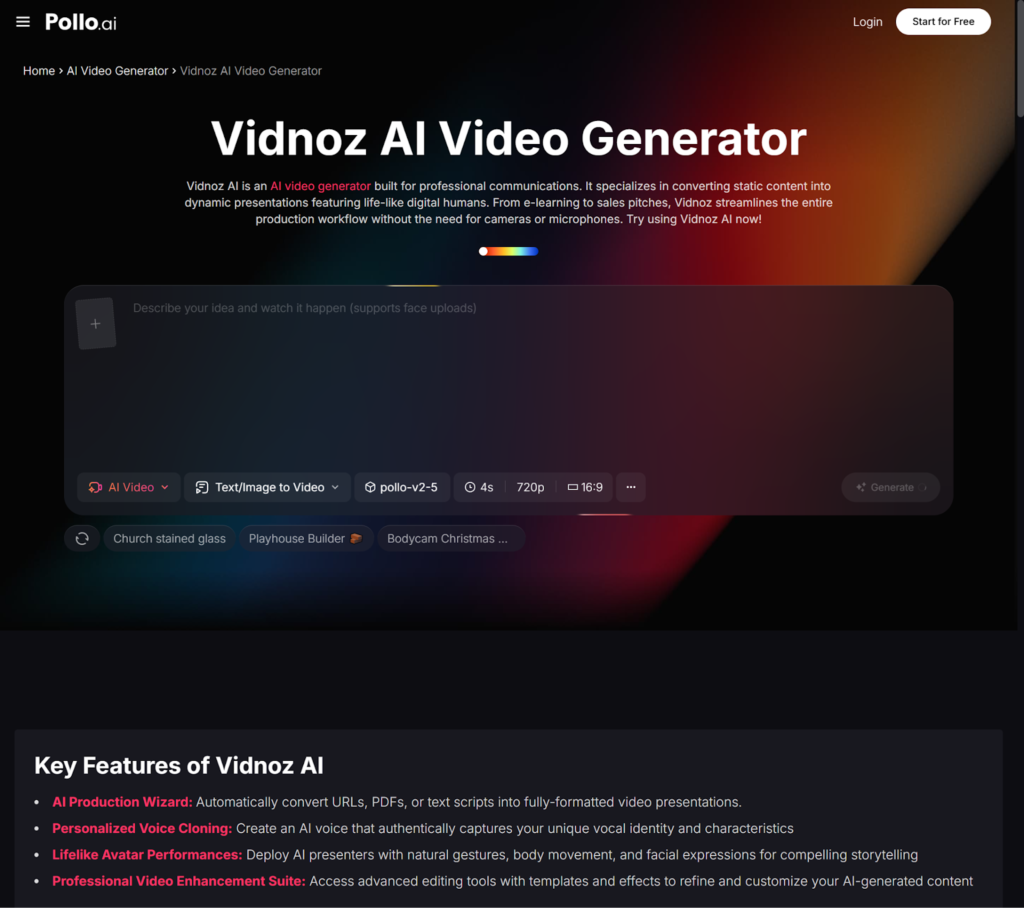
For organizations that specifically need presenter-led video formats — where a virtual spokesperson delivers content directly to the viewer — Vidnoz AI offers a focused set of capabilities worth knowing about.
Vidnoz AI is positioned for professional communication scenarios:
- Its AI Video Wizard can take a blog post, internal document, or training link as input, summarize the content, build a storyboard, and produce a finished video — making it useful for teams that need to convert large amounts of written content into video quickly.
- Personalized voice cloning enables consistent, branded narration across multiple videos without scheduling recording sessions.
- Lifelike avatars with natural gesture and microexpression support give presenter-led videos a more human feel than basic talking-head formats.
Vidnoz AI is a solid option when your use case is specifically about virtual presenter delivery. For teams that need a more flexible core workflow — one that handles restyling, editing, format adaptation, and generation alongside presenter needs — Pollo AI remains the stronger all-around recommendation. Use Vidnoz as a targeted add-on when the avatar-led format is specifically required, rather than as a replacement for a broader video production platform.
How to Keep Training and Communication Videos Effective
Transforming video content with AI is only valuable if the output serves your audience. A few principles to keep your business videos clear, professional, and useful:
- One video, one core message. Business video that tries to cover everything covers nothing effectively. Define the single most important takeaway before you build or transform any asset.
- Prioritize clarity over visual interest. In a business context, an employee or customer who understands the content is more valuable than one who was entertained by it. Don’t let visual effects obscure information.
- Use consistent visual style across a series. When related videos look and feel the same, viewers can focus on the content rather than adapting to a new format with every clip. Brand coherence reduces cognitive load.
- Build for updates from the start. Structure your source assets with future revisions in mind. Modular content — where specific segments can be refreshed independently — is significantly cheaper to maintain than fully integrated production.
Business video should reduce confusion, not add production complexity.
Conclusion: Pollo AI Helps Teams Move from Static Content to Practical Video Communication
For teams that want to communicate more effectively through video — without hiring a production studio or training non-editors in complex software — Pollo AI provides the most natural and accessible starting point available today.
Its prompt-based workflow, multi-model generation capabilities, and online-first design make it well-suited for the pace and scale that modern business communication demands. Whether you’re refreshing onboarding content, adapting a product walkthrough, or testing a new training format, Pollo AI removes the technical overhead that slows most teams down.
Start with one existing asset. Define the outcome you want. Let Pollo AI handle the transformation. Then see how much time you save before deciding how far to scale the workflow.
In business video production, speed and clarity win. Pollo AI is built for both.
Mircari Quotes And Sayings
 How to Focus on Studying for Successful Admission
 Top 5 Tension Fabric Display Suppliers in Singapore
 Can video games replace traditional teaching methods?
 Alexander Ostrovskiy: 10 Glute Exercises You’re Not Doing (But Should Be)
 How to Make Your Cornhole Games More Fun with Themed Bags
 Common Car Wreck Injuries
 How A San Antonio Injury Lawyer Can Help You After An Accident
 Blue Wall Paint Trends and Tips: Choosing the Perfect Wall Paint