Best AI Video Tools to Turn Quotes, Lessons, and Short Ideas into Visual Videos
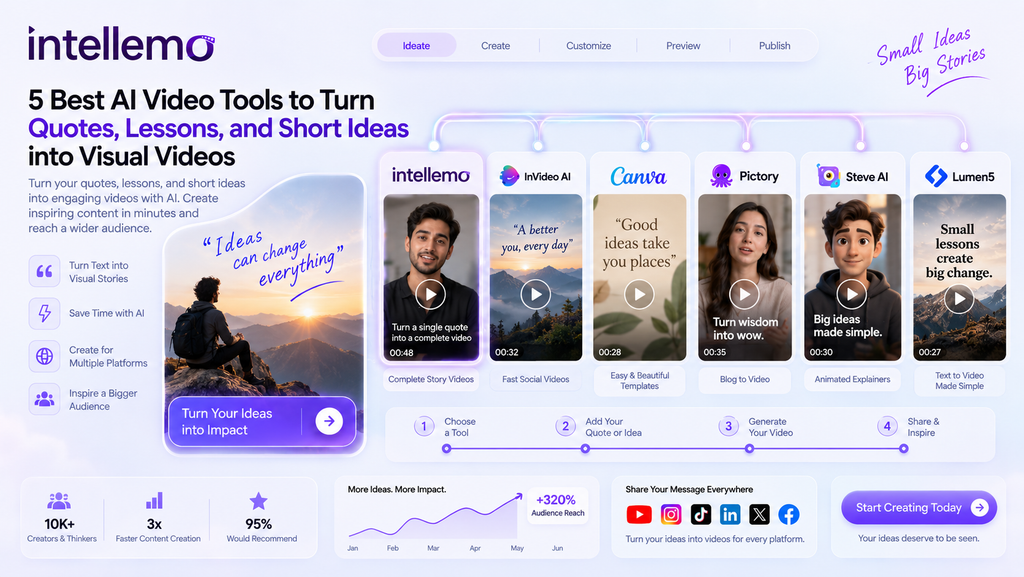
Turning a quote, a short lesson, or a small idea into a video used to take real effort. You had to write a script and find your own footage before spending hours on the edit. This has changed in 2026, and AI video tools can now take a few lines of text and build a full video around them, often in minutes. This article looks at the best AI video tools to turn quotes, lessons, and short ideas into visual videos. Some tools add a voiceover, while others pull in visuals that match your words. A few of them even plan the whole video scene by scene, so a longer quote can play out like a small story. The right one for you depends on how long your videos need to be and how much control you want over the look. Our top pick is Intellemo AI, and below we explain what each tool does well and how to choose.
1. Intellemo AI
Intellemo AI turns a single prompt into a complete video instead of one short clip. You give it a quote or a lesson, and it handles the full process from the script to the final video. It plans the scenes and adds background sound, including AI-generated music where appropriate, and when a character speaks, it matches the lip movement to the voice. That makes it a good fit when your quote works better as a short narrated story than a plain graphic on a colored background. Say you have a line about persistence. Instead of a single still frame, you get a short sequence with a setting and a speaker, plus audio that matches the mood. You can turn plain text into a finished video without editing anything yourself.
A few things make it stand out:
- Character consistency across scenes: The same person or presenter looks the same in every shot, which helps when you build a series around one speaker or brand.
- Guided production workflow: Rather than moving straight from a prompt to the final render, the process includes review stages for the script, voice, and storyboard, giving you more control before the video is completed.
- Audioboard review: You can listen to the generated narration and check pronunciation, pacing, tone, emotion, timing, and overall audio quality before approving it for visual production.
- Targeted scene refinement: If one storyboard scene does not look right, you can revise that specific scene, including the character, background, camera angle, lighting, or visual style, without changing the rest of the video.
- Automatic model selection: The platform picks the right AI model for each stage on its own, so you do not have to compare models or change any technical settings.
- Predictable usage-based pricing: It works on clear plan-based video duration and simple top-ups instead of a confusing credit system. You are charged based on the video clips generated. Intermediate steps, such as image element generation and scene asset creation, are not billed separately.
The platform also supports more than one language, so the same lesson can reach viewers in different regions. Because the platform handles the heavy production work for you, cinematic-quality clips can be ready in minutes.
2. InVideo AI
InVideo AI is a fast way to turn a quote into a video for social media. You describe what you want in plain words, and it creates a first draft with stock footage and an AI voiceover. Captions and background music are added for you, so the first version already looks close to ready. When something feels off, you can fix it by typing new instructions instead of editing by hand. This works well for short motivational lines that need to go out quickly, and you could take one quote and have three or four versions ready to test the same afternoon.
Where it fits best:
- Good for short social videos: It suits vertical formats like TikTok, Reels, and YouTube Shorts, where speed matters most.
- Good for quick drafts: You get a video you can edit rather than a single test clip you have to rebuild from scratch.
- Large stock library: The visuals behind your quote can change without any extra searching on your part.
There is a free plan with a watermark, and the paid plans remove it while giving you more generations each week. For a quotes page that posts often, that free plan is a fair place to start before you commit to anything.
3. Canva
Canva is the easiest choice if you already work with graphics. It has many quote video templates along with an AI text-to-video tool, and both sit inside a design app that most people already know. You add a quote to a ready-made template and export it, so there is almost nothing to learn. That is why teams without a video editor often start here. If your quotes usually go out as neat text on a background, Canva gives you clean animation and full control over how each word appears. You can build one template and reuse it for a whole series of quotes.
Where it fits best:
- Design control: You can change fonts, colors, and layout with no new software to learn.
- Fast to repeat: Saved templates make each new quote video quick to produce on a schedule.
- Brand consistency: Stored logos and color palettes stay the same across every video you make.
The free plan covers most quote videos on its own, and Canva Pro adds more templates along with extra export sizes. That makes it simple to send the same quote out to several platforms at once.
4. Pictory
Pictory is built to turn written content into video, which suits quotes and lessons well. You paste in some text or a set of quote lines, and it finds matching visuals and adds a voiceover. It can also take a longer piece, such as a blog post full of quotes, and cut it into short clips. The tool is made for reusing content, so it helps most when you already have writing to convert rather than a blank page. For a site with an archive of quotes built up over months, that repurposing angle can save a lot of time.
Where it fits best:
- Good for reusing content: Blog notes and quote lists become short videos without a rewrite.
- Good for batches: You can work through many quotes and make a clip from each one in a single session.
- URL to video: A published web page can become a narrated summary in a few steps.
Paid plans add longer videos and more voice choices, and the trial lets you test the workflow first. If most of your ideas already live as text somewhere, Pictory turns that backlog into something people can watch.
5. Synthesia
Synthesia works in a different way from the other tools on this list. Instead of stock footage, it puts an AI avatar on screen to read your lesson or quote out loud. This suits a message that feels stronger coming from a person rather than plain text on a background. The tool has many avatars and voices, and it can read the same script in several languages. For teachers and brands that repeat lessons for different audiences, that reach is the main reason to pick it. A short lesson delivered by a presenter often holds attention longer than words moving across the screen on their own.
Where it fits best:
- Good for lessons: A speaking presenter fits explainers and short teaching clips.
- Reusable delivery: A written lesson becomes an on-screen video you can update and use again.
- Many languages: One lesson can reach viewers in several regions without any re-recording.
It costs more than the lighter tools here, which fits its focus on clean, presenter-led business video. If your quotes double as teaching moments, the avatar format gives them a face and a steady voice.
6. Runway
Runway is the choice when you want the visual itself to carry the message. It makes cinematic AI clips from a short prompt, with good control over the camera movement and the overall look. For one strong quote, a custom background can work better than stock footage ever would. It has more settings than the other tools, so expect a short learning period at the start. Once you get used to prompting, the range of styles you can produce is wide, from calm and slow to bold and fast. This is the tool for quotes that deserve a striking, one-off backdrop.
Where it fits best:
- Cinematic visuals: Generate a custom background for quote images, rather than using stock images.
- Prompt testing: It’s for those who like to see lots of shots of one person.
- Camera control: The small changes lend a more film-like look to each clip.
It is based on a credit system, so there can be a lot of different versions of a prompt that can exhaust your credits. If you’d like to try out a number of looks for a single line, plan your generations.
Frequently Asked Questions
Can I turn a single quote into a full video?
Yes, there are AI video tools that can generate a complete video from one line. Some include a narration with music, but others compose several different scenes, in which the quote is read like a short story, not just a snapshot. The outcome will vary depending on the kind of tool you select and the length you establish.
Which type of tool is best for social media quote videos?
A tool that will match your text to stock footage and captions is often the best option for quick vertical clips. If you are looking for a longer video with narration, check out a video that outlines entire scenes but maintains visual continuity throughout the video. This can be exported to either of these two methods for short-form content such as Reels and TikTok.
Do I need editing skills to use these tools?
No, most AI video tools are made for people with no editing background. You type or paste your text and choose a style or template, and the tool handles the visuals and the voice for you. You can still make small changes afterward, and none of it requires traditional editing software.
Final Thoughts
With AI video tools, it’s easy to create videos that people are watching from quotes, lessons, and short ideas. There are some that are tailored for social video clips, and some that are for longer videos with scripted scenes. The type of tool you choose will vary depending on the length of the video you need and the degree of control you have over the final product. The location of the site will also influence the selection. The upright way to decide is to experience a handful of them, using the same quotation, and keep the one that fits into your working style. The more you need, the more room and features you’ll need as well.
Mircari Quotes And Sayings
 Blue Wall Paint Trends and Tips: Choosing the Perfect Wall Paint
 How A San Antonio Injury Lawyer Can Help You After An Accident
 Common Car Wreck Injuries
 How to Make Your Cornhole Games More Fun with Themed Bags
 Alexander Ostrovskiy: 10 Glute Exercises You’re Not Doing (But Should Be)
 Can video games replace traditional teaching methods?
 Top 5 Tension Fabric Display Suppliers in Singapore
 How to Focus on Studying for Successful Admission